
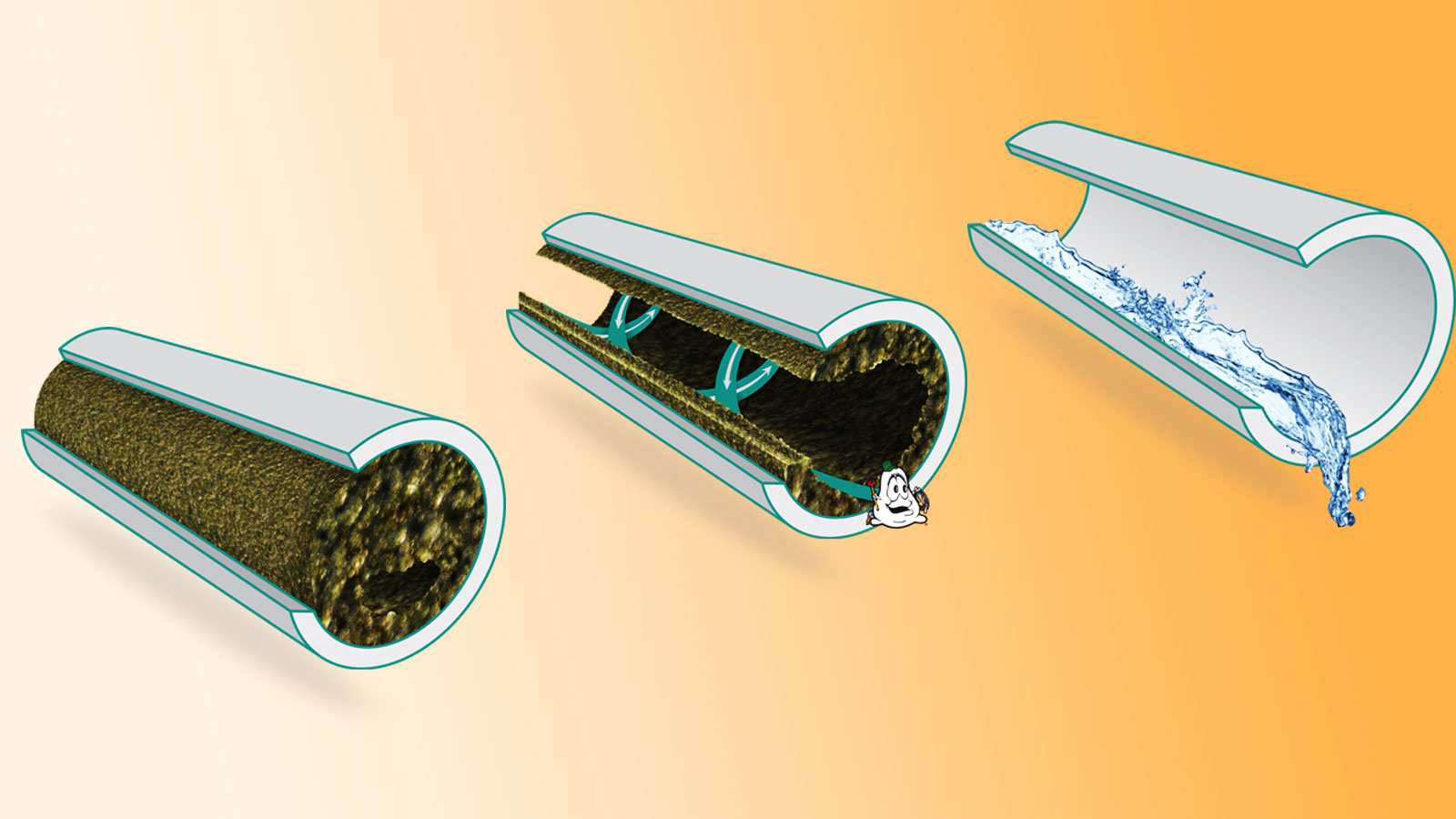
At BS ENTERPRISES we have been quick to embrace the latest advances in drainage technology over the years. Pipe lining is one of those advancements which has proved invaluable, especially where ground excavation isn’t a feasible option.
We can provide a complete end to end pipeline cleaning and repair service to all our Customers both on the Highway and on private property. We can clean and repair all pipe materials and various sizes and stock an extensive range of cleaning fittings and pipework
Read More
Let's compare:
This method utilizes a "hidden settings" approach to bypass the setup wizard and remove the previous Google account. 1. Initial Setup and Accessing Browser Turn on your Tecno KG5h and click . Connect to your Wi-Fi network . Go back to the welcome screen and click on Emergency Call . Tap Emergency Information twice. Tap the Edit (pencil icon) in the top right corner.
For a more reliable "one-click" solution, technicians often use professional software.
If you want, tell me which of the above applies (e.g., you have purchase proof, you know the Google account email but forgot the password), and I’ll give step-by-step, legitimate recovery instructions.
This guide is for educational purposes only. Attempting to bypass FRP on a phone that is not yours is illegal. Pre-requisites Access to a stable Wi-Fi network. tecno kg5h frp bypass android 11 %28%28BETTER%29%29
Tap at the bottom left to launch the primary system settings. Step 3: Configure Accessibility and Disable Key Services
: Tecno’s native file-sharing tool will be used to move applications between devices. Step-by-Step Tecno KG5H FRP Bypass Method
The , commercially known as the Tecno Spark Go 2022 , runs on Android 11 (Go Edition) . Bypassing the Factory Reset Protection (FRP) on this device usually requires a method that exploits the accessibility settings or the "XShare" application, as traditional Gmail-based bypasses are often patched. 🛠️ FRP Bypass Methods (Android 11) Method 1: The "No PC" Accessibility Shortcut
While the Tecno KG5h is more commonly known as the Tecno Spark Go 2022 , it is also a MediaTek-powered device. The most reliable techniques leverage its MTK chipset through software tools. Let's compare: This method utilizes a "hidden settings"
A language settings popup will appear. Tap the blue text at the bottom (). Select Add Keyboard from the next screen.
Install the app, open it, and search for "Google Account Manager" to bypass the lock, as demonstrated in many 2025 FRP bypass tutorials . How to Avoid FRP Lock in Future
: Ensure your Tecno KG5h has at least 50% battery charge .
Inside Settings, go to or "Apps & Notifications" . Tap "See all apps" . Find and open "Android Setup" and select "Force Stop" . Go back and find "Google Play Services" . Select "Disable" and then "Force Stop" . Part 3: Bypassing the Setup Wizard Go back to the very first welcome screen ( "Hi, there" ). Connect to your Wi-Fi network
Quickly tap when the "Google Play Services is required" notification appears. Tap Enable for Google Play Services.
This public link is valid for 7 days and shares a thread, including any personal information you added. This link or copies made by others cannot be deleted. If you share with third parties, their policies apply. Can’t copy the link right now. Try again later. Tecno Spark Go 2022 (KG5h) - DeviceAtlas Tecno Spark Go 2022 (KG5h) | DeviceAtlas. DeviceAtlas Synchronize Tecno Spark Go 2022 (kg5h) - PhoneCopy
: Once you reach the final setup steps or the home screen (using the launcher selection), you must go back to settings and Enable Google Play Services
It will say "Google Play Services is disabled". Click and immediately "Enable" it. Part 4: Finalizing Go back, back, back to the Wi-Fi screen again. Now you will be able to Skip the Google Account setup.
Projects
Finished
Our
Team
Satisfied
Clients
HOURS OF
WORK
feel free to contact us!


